
One home base for all your work

A practical guide to getting work done with ChatGPT

Review a forecast interactively

Compare the supplied retention cases and test changes to forecast months. The source workbook stays unchanged.

Sites · Example

Forecast Review Site

  • Slack
  • Excel
  • Google Docs

Current outlook

$85.8M

FY26 total revenue +$200K vs plan

Drag any forecast month · up to $5M
Monthly revenue: actuals through June and the selected forecastActualsForecastMonthly revenue ($M)$20M$15M$10M$5M$0M$14.2MJul: $7.5M monthly revenueAug: $8.7M monthly revenueSep: $10.0M monthly revenueOct: $11.3M monthly revenueNov: $12.7M monthly revenueDec: $14.2M monthly revenueJanFebMarAprMayJunJulAugSepOctNovDec
Monthly revenue: actuals through June and the selected forecastActualsForecastMonthly ($M)$20M$15M$10M$5M$0M$14.2MJul: $7.5M monthly revenueAug: $8.7M monthly revenueSep: $10.0M monthly revenueOct: $11.3M monthly revenueNov: $12.7M monthly revenueDec: $14.2M monthly revenueJanMarJunSepDec
Week-4 retention scenario

Decision: keep the original outlook until the cohort evidence and rollout assumptions are reviewed.

Try this with your work

Use approved app connections or add the files directly.

  1. Bring your sources

    Bring the current forecast, the Product question, and the previous review.

  2. Ask for a first draft

    Copy the prompt into the task with your sources. Name the audience and result you need; add a template or past example if you have one.

  3. Review what matters

    Check the cohort definition, observation window, and rollout assumptions before treating the higher case as the forecast.

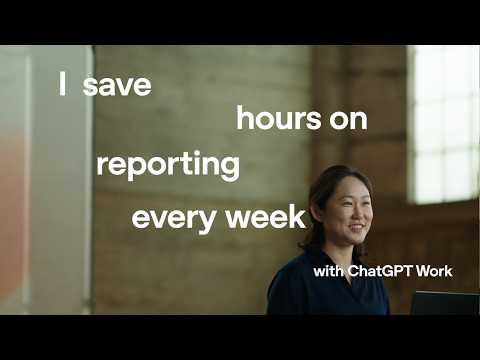
Official OpenAI walkthrough | Finance

Explore a forecast interactively

Forecast and product context → interactive scenario review. Check proposed changes against the original model before approving an update.

Duration 1:37

Learn the method. Bring your agent up to speed.

Paste into a new ChatGPT Work chat

Copy buttons include the prompt and complete guide. Paste into a new chat. Desktop links prefill a draft with the guide link, not an attachment; you still send it. Nothing is inspected or connected here. Download the full guide (.md)

1 | Mindset

Why make it your home base?

Your work can build on what you have already taught it. Bring context together, review the result, and keep the methods that make the next task better.

Context you can return to

Keep source files, project instructions, and useful notes together. Where memory is available, choose which preferences to retain.

Corrections that carry forward

Review a real draft, explain what should change, and save the useful corrections in the project. The next task starts with better guidance.

Skills you have taught and tested

Capture a method that worked, test it on fresh examples, and reuse it. Each review is a chance to improve the instructions.

Work you can plan ahead

Agree on future checks or recurring drafts. With approved access and a schedule, it can look for relevant updates and prepare the next useful step.

  1. Do real work
  2. Review and correct
  3. Save what works
  4. Test and reuse

Save the corrections you want the next task to use. Recheck the sources and test the method on new work; keep important decisions with you.

2 | Context

Give it the context to do the work

Start with one useful project and the files and notes you’re allowed to share.

  1. Choose a job you already know

    A review, a memo, or a team update. Name the result and who needs it.

  2. Connect the context that matters

    Use approved files, Slack conversations, and meeting notes. Check what it can read, what’s current, and what’s missing.

  3. Give the work a home

    Keep sources, instructions, and corrections in the existing project. Reuse a tested Skill when it fits.

3 | Workflow

Define the task, sources, and checks

Specify the result, where the information lives, and what you need to review.

  1. 1

    Trigger

    What starts this work?

  2. 2

    Trusted sources

    Where does the right information live?

  3. 3

    Expected output

    What should the finished result look like?

  4. 4

    Quality checks

    How will you know the work is right?

  5. 5

    Human decision

    What still needs your approval?

Copy the first-task prompt →

4 | Skill

Turn repeat work into a Skill

A Skill is a reusable set of instructions for work you do repeatedly. You teach it the process, sources, and checks through a real example and your corrections, then test it on fresh work.

Draft while the real work is fresh. Use the example and your corrections to capture the sources, steps, and checks, then test the Skill with new inputs.

  1. Choose recurring work

    Start with a real job you expect to do again.

  2. Share the context

    Show the real sources, audience, and useful examples.

  3. Work through a real example

    Ask ChatGPT to help with the actual work.

  4. Correct what matters

    Explain what should change and which decisions stay with you.

  5. DRAFT THE SKILL HERE

    Capture the method while the real work is still in context.

  6. Test on fresh examples

    Check that the draft works with new information.

  7. Improve and reuse

    Keep what holds up and fix what does not.

A Skill saves the method. It does not connect tools, start a schedule, or give permission to act. Set those up separately when you need them.

5 | Automation

Plan the next useful check

Once the method holds up, agree on when it should run. An approved schedule can turn new information into a draft or a short list of decisions for you.

  1. Name the signal and timing

    For example, review approved team updates each morning or prepare a draft before a recurring meeting.

  2. Define the allowed work

    Specify the sources, the draft you want, the checks to run, and where to keep the result.

  3. Set the stop conditions

    Pause for missing access, conflicting evidence, or a decision that needs you. Sending, publishing, and changing sources need separate approval.

Connecting an app alone does not start monitoring. Set up the schedule and permissions explicitly, then review whether each run is useful.

See a practical daily workflow →

6 | Operating system

Review your projects from one home base

Keep a short list of active projects, their owners, decisions, and next steps. Return to each project for its sources and detailed work.

Keep these things true: read the real source, automate what you understand, and keep the final decision. A draft is not permission to send, publish, deploy, or change access.

Find your starting point

Choose the route that fits your work. Your selection stays on this device.

Choose a path to reveal a four-step reading sequence.